Author: Zaynab Zya

  • A Complete Guide to Broadcast Teleprompter

    A Complete Guide to Broadcast Teleprompter

    A broadcast teleprompter shows scripted text to presenters on screen. It helps them speak smoothly without needing to memorize lines.In this article, we will explain what a teleprompter is, how it works, why it is useful, how to choose the right one, and answer some common questions about using it.

    What is a Broadcast Teleprompter?

    A broadcast teleprompter is a device that displays scripted text on a screen, allowing presenters to read their lines while keeping eye contact with the camera. This makes speaking easier and more convenient, ensuring that messages are delivered clearly without the need to memorize every word.

    Used widely in TV studios, live shows, and events, a professional broadcast teleprompter ensures presenters deliver their messages smoothly and confidently. It is considered one of the best teleprompters for creating polished and professional presentations.


    How It Works

    A broadcast teleprompter works by reflecting scripted text onto a piece of glass placed in front of the camera lens. The presenter sees the text clearly while looking directly at the camera, but the camera cannot see the reflection, capturing only the presenter.

    Modern teleprompters often use tablets or monitors as the text source, and the speed of the scrolling text can be adjusted to match the presenter’s pace. Some professional systems also allow remote control, enabling a producer to manage the script from a distance.

    This setup ensures that presenters can deliver their lines smoothly and naturally without breaking eye contact, making speeches and broadcasts appear polished and confident.


    Benefits of Broadcast Teleprompter

    Here are some benefits of a Broadcast Teleprompter


    Smooth Delivery

    Smooth Delivery means speaking clearly without breaks or mistakes. A broadcast teleprompter shows the script on screen. This helps presenters stay on track with every word.

    With Smooth Delivery, the audience understands better. It makes the message sound natural and professional. A teleprompter gives confidence to speak with ease.


    Time Saving

    Time Saving is one of the main benefits of using a teleprompter. It removes the need to memorize long scripts. With broadcast teleprompter software, presenters can prepare faster.

    It works well for those quick changes and scripting that’s continuously being updated. Some broadcast teleprompter software makes live work simpler and more efficient. This saves time and keeps the show running smoothly.


    Professional Look

    A Professional Look is important for TV and live shows. A teleprompter helps presenters keep eye contact with the camera. This makes them look confident and polished.

    Many ask, do sports broadcasters use teleprompters? Yes, they do in certain cases. It helps them read stats or scripts while staying natural on screen.


    Error Reduction

    Error Reduction is a big benefit of using a teleprompter. It shows the correct script word by word. This helps presenters avoid mistakes while speaking.

    With Error Reduction, live shows run smoothly. The teleprompter keeps timing accurately and clearly. It makes speeches reliable and professional.


    Confidence Boost

    Confidence Boost comes when presenters know they won’t forget lines. A teleprompter guides them with every word on screen. This makes speaking easier and stress-free.

    With a Confidence Boost, presenters look calm and professional. They focus more on expression than memory. This builds trust with the audience.


    How to choose a broadcast teleprompter

    Selecting the right teleprompter can make a big difference in the quality of your presentation or broadcast. Here are the key factors to consider:


    Screen size

    The screen size affects readability and distance. Large screens are ideal for studio setups, stage presentations, or situations where the presenter is far from the camera, ensuring the text is visible without straining the eyes. Smaller screens are better for on-location shoots or mobile setups, offering portability while still providing clear text. Consider the size that matches both your space and your camera distance.


    Compatibility

    Not all teleprompters work with every camera or device. Check if the teleprompter is compatible with your DSLR, camcorder, or smartphone, and whether it supports tablets or laptops as text sources. Compatibility ensures smooth integration and avoids technical issues during recording.


    Text control

    Adjustable scrolling speed is crucial to match the presenter’s natural speaking pace. Some teleprompters also include remote control features, so a producer or assistant can manage the script without interrupting the presenter. Advanced systems may allow programmable pauses or speed changes for more complex scripts.


    Build quality

    A sturdy frame and high-quality glass are essential for stability and durability. Professional teleprompters often use aluminum or reinforced plastic mounts that keep the screen and camera aligned, even during repeated use or travel. Durable designs also reduce maintenance and improve reliability over time.


    Portability

    If your work involves multiple locations, consider lightweight, foldable, or modular teleprompters. These models are easier to carry, set up, and store without compromising on performance. Portable options are particularly useful for news reporters, live events, or freelance video production.


    Frequently Asked Questions

    Here are some common questions about broadcast teleprompters.


    Who uses a broadcast teleprompter?

    News anchors, TV hosts, and public speakers use it. It is also used in live events.


    Can beginners use a broadcast teleprompter?

    Yes, it is simple and easy to learn. Anyone can use it for clear speaking.


    Do sports broadcasters use teleprompters​?

    Yes, sports broadcasters often use teleprompters to read scripts smoothly while keeping eye contact with the camera, ensuring a professional and confident delivery.


    Conclusion

    A broadcast teleprompter helps presenters deliver lines smoothly and confidently without memorization, making it essential for TV, live shows, and events. By understanding how it works, why it is useful, and how to choose the right model, you can improve both the quality and professionalism of your presentations. Whether using a large studio setup or a portable solution, investing in one of the best teleprompters ensures clear, polished, and engaging delivery every time.

    Read Also:  Who Is Julie Hampton? Kirk Cousins’ Wife and Family
  • Fix Boot Loop on Xiaomi Redmi Phone

    Fix Boot Loop on Xiaomi Redmi Phone

    Xiaomi Redmi is a popular phone brand, with its customers appreciating its high-grade build and robust battery. However, as with most phones, it is prone to some occasional mishaps, which can be quite frustrating.

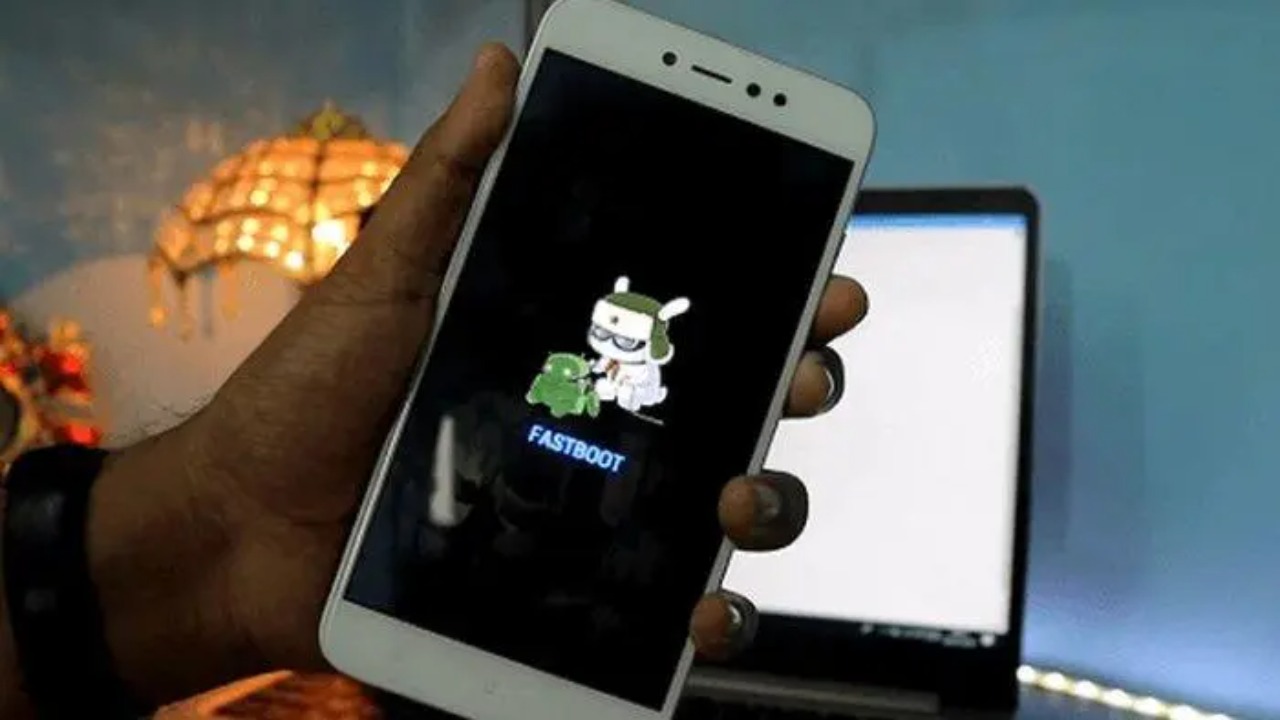
    One of the troubles that you may experience with Redmi phones is the boot loop. Here, the phone will go into a continuous rebooting state, without successfully loading the operating system. It is a serious problem, as you can’t use your device.

    So, how does one fix boot loop on Xiaomi Redmi phone? We are glad to help you with such an issue by introducing you to a software that is handy against this occurrence.


    A Look at DroidKit from iMobie

    The answer to the boot loop comes in the form of DroidKit, a mobile repair utility under the vast iMobie family. Besides boot loop, DroidKit will help with other Android phone troubles, like a frozen screen, data loss, organization, and system upgrades or downgrades.

    It is a credible tool that won’t put your device at risk of malware infestations. Using it is a trouble-free experience, and you don’t need to be a tech guru to use it.


    How to Fix Boot Loop on Xiaomi Redmi Phone with DroidKit

    Let us guide you on how to use this software to solve the boot loop on your Xiaomi phone.


    Download DroidKit from Its Official Website

    You should visit DroidKit’s official website to download it. Ensure you visit the right website, as there are several fake sites.

    On the platform, click on the ‘Free Download’ key to automatically download the tool on your PC. The free version is ideal for one-time or first-time users. You can opt for the premium version of this tool if you want to access more resources.

    Furthermore, you should check the software’s specs to determine its compatibility with your PC. The good news is that it is versatile and it supports several releases of Mac and Windows operating systems. Once downloaded, you accept all permissions asked for to install it. 


    Start the Tool

    You now start the tool and select the ‘System Fix’ option. Follow up by connecting your Xiaomi Redmi phone with a USB cable. You then click on the ‘Start’ key to proceed.


    Initiate Firmware Download

    The software will match your phone’s PAD code, and you should press the ‘Download Now’ button to get your device’s firmware. Once you have the firmware package, you click ‘Fix Now’ and follow the presented on-screen prompts.

    DroidKit will attend to the boot loop issue on your phone, plus other system problems. When the repairs are complete, you will see a ‘System Fixed Successfully’ notification. Click on the ‘Complete’ key to finish the process and exit the program.


    Wrapping Up

    Boot loops can be a nuisance, as your phone will be in a continuous booting state without fully loading, and you cannot use it. The good thing is that you can fix this issue cheaply, provided you can access a PC.

    Download DroidKit on your PC and have an advantage over Android troubles like the boot loop on Xiaomi Redmi phone, and many more.

    Read More:  Anabel Pantoja Net Worth, TV Career & Influence

  • Best Selfie Monitor Screen in 2025: SYNCO XView M4

    Best Selfie Monitor Screen in 2025: SYNCO XView M4

    Creating high-quality videos and selfies can be challenging without a proper view of yourself. A reliable selfie monitor screen makes it easier to stay in frame, check lighting, and maintain eye contact with the camera. For smartphone creators looking for a versatile and professional solution, the SYNCO XView M4 delivers these benefits and more.

    What is the SYNCO XView M4 selfie monitor screen?

    The SYNCO XView M4 selfie monitor is a small, portable screen designed for smartphone creators. It connects wirelessly to your phone, letting you use the back camera while still seeing yourself. This makes recording videos, taking selfies, and live streaming easier and more precise.


    What makes it the best monitor for phone selfies and vlogging?

    The SYNCO XView M4 stands out as a top phone vlog selfie monitor screen because it brings together several features that make recording easier, more precise, and more professional.


    High-quality back camera recording

    The XView M4 lets you use your phone’s back camera, which captures sharper and more colorful videos than the front camera. This ensures professional-looking content every time.

    Wireless P2P connection

    The SYNCO monitor transmits video wirelessly without using WiFi. This keeps your internet free and provides a stable signal during recording or live streaming.


    Ultra-low latency preview

    With only 40 milliseconds delay, the monitor shows real-time framing. Creators can record smoothly without worrying about lag or missed moments.


    Compatible with iPhone and Android

    It works with both iPhones and Android phones, giving creators flexibility no matter what device they use.


    MagSafe selfie monitor screen

    A strong magnetic mount keeps the monitor attached to your phone, making setup quick and ensuring it stays stable during movement.


    Long-lasting battery

    The 1,300mAh battery provides up to 3 hours of continuous use, perfect for vlogging, live streaming, or extended recording sessions.


    Clear and portable screen

    The 3.97-inch display is bright and easy to see, while the compact design makes it easy to carry anywhere.


    Where the XView M4 phone selfie monitor screen works best

    No matter where you create, the SYNCO XView M4 makes solo shooting easier and more reliable.


    • Home recordings: Film daily vlogs, tutorials, or unboxing videos without worrying about framing or lighting.

    • Outdoor adventures: Capture travel shots, nature scenes, or action moments while keeping yourself in view.

    • Live streams: Stay connected with your audience while checking your pose and expressions in real time.

    • Events and sports: Record group activities, games, or performances smoothly and clearly.

    • Quick social content: Shoot short clips for TikTok, Instagram, or YouTube Shorts with confidence.

    With the XView M4, creators get the best support for every scenario, making each shot look professional and polished.


    Conclusion

    The SYNCO XView M4 selfie monitor screen is a simple tool for better photos. It shows your face clearly before clicking the picture. This helps you pose, smile, and capture the right moment.

    With a selfie monitor screen, selfies become easier and more fun. It saves time, boosts confidence, and gives clear results. This screen makes every memory look perfect.


    Read Also:  Sophie Brussaux: Drake’s Baby Mama and French Artist

  • [10 Ways] Seagate External Hard Drive Not Showing up on Windows 11/10/8/7

    [10 Ways] Seagate External Hard Drive Not Showing up on Windows 11/10/8/7

    How to Fix Seagate External Hard Drive Not Showing up on Windows 11/10/8/7

    So, your Seagate external hard drive is not showing up on Windows 11/10/8/7 PC? It’s especially exasperating if you’ve got a ton of irreplaceable files on that thing. But you’re probably wondering, Why is my Seagate hard drive not showing up​ on Windows, and “How do I fix Seagate external hard drive not detected?” 

    Stick around, because we’ll break down the usual suspects behind this problem. Furthermore, we’ll give you 10 ways to troubleshoot your Seagate external disk based on whether it appears in File Explorer, or in Disk Management, or completely ghosts you in both.

    Part 1: Why Is My Seagate Hard Drive Not Showing Up?

    If you’re wondering, “Why is my Seagate hard drive not showing up​,” it could be because of a bunch of reasons, such as:

    • Bad USB cable or port.

    • The drive is not getting enough power, or the adapter is not functioning.

    • New/internal drives need to be set up in Disk Management.

    • Outdated, missing, or corrupted disk drivers.

    • The drive is damaged or has a hardware problem.

    • The same drive letter is used by another disk.

    • Drive has file system corruption.

    • Windows system files are damaged.

    • Malware/viruses are blocking or interfering with drive detection.

    Part 2: Rescue Data From Your Unreadable Seagate Hard Drive

    Before you apply any solution to troubleshoot the ‘Seagate portable drive not showing up on Windows’ issue, rescue the data from the disk. This is a wise step in case the disk’s full-on corrupted and trying to troubleshoot it, think about formatting. It will nuke every file on it. 

    So, if you actually want your data back, you’ll need a heavy-duty Seagate recovery tool, like 4DDiG Data Recovery. It can dig up files even when your Seagate drive is unreadable. Here are this tool’s key features at a glance:

    • This app’s interface is easier to grasp by both beginners and professionals with no technical skills required.

    • This file retrieval app can rescue files lost due to corruption, removal by mistake, or formatting.

    • The tool supports 2000+ file types, including RAW files, audio, videos, images, etc.

    • It allows you to inspect recovered files by their type and path, and also repair files.

    • It offers a free version for Windows users.

    • Impressive success rate in hard drive recovery.

    Here’s how to rescue data from the unreadable Seagate drive with this tool:

    Step 1: Connect the unreadable Seagate drive to your computer. Execute the recovery tool on the same PC. 

    Step 2: Pick the Seagate disk. Choose the file types you wish to rescue. Tap “Scan.”

    Step 3: Halt or stop the scan once you find the files you were looking for. Preview them.

    Step 4: Click “Recover” to export the rescued Seagate files to your computer or cloud drive.


    Part 3: How Do I Fix Seagate External Hard Drive Not Detected?

    After you’ve successfully rescued data, here’s your solution to “how do I fix Seagate external hard drive not detected​ by Windows?” Pick a method based on whether the Seagate disk appears in either Disk Management or File Explorer, or doesn’t show up in both:


    Method 1: Check Hardware Connections

    The most frequent reason the ‘Seagate external hard drive is not showing up’ in File Explorer and Disk Management is because of a bad connection. So, double-check if that USB cable’s actually plugged in tight. Wiggle it a bit, as sometimes it just needs a little nudge. 

    If nothing happens, switch to a different port. Don’t even bother with weak USB hubs and take a good look at the cable, too. If it’s frayed, swap it out, and if you can, grab a new cable or plug the drive into a different computer.

    Method 2: Check Power Supply

    An external hard drive needs enough power to function. So, if the Seagate external hard drive is not showing up on File Explorer and Disk Management, chances are it’s because of the power supply. So, examine if the drive’s power light is on and wiggle the adapter to confirm it’s plugged all the way in. Also, double-check you’re using the correct adapter with the right voltage and amperage, and examine it for damage. 


    Method 3: Update or Reinstall Drivers

    In case the Seagate external hard drive is not showing up on Windows 11/10 Disk Management, it could be because of an obsolete or corrupted disk driver. So, update the driver. If that doesn’t do the job, reinstall it. To do so:

    Step 1: Connect your unreadable Seagate disk to your computer. Press the “Win + X” keys. Then, execute “Device Manager. 

    Step 2: Tap “Disk drives” to extend it. Right-click the driver. Next, click “Update driver.” 

    Step 3: Either download the driver and install it manually or let Windows find a compatible one for your Seagate external disk.

    Step 3: In case updating the Seagate driver doesn’t do the job, reinstall it. To do that, right-click the driver. Pick “Uninstall device.”

    Step 4: Reboot the computer. Connect your Seagate disk to your computer again. Windows will automatically reinstall the disk’s driver.


    Method 4: Use CHKDSK to Repair Your Drive

    CHKDSK is useful for fixing a Seagate portable drive not showing up in Disk Management. It digs through your file system for errors and repairs corrupted files that may block detection. The tool also hunts for bad sectors, rescues readable data, and marks damaged areas to avoid future problems. Here’s how to execute it:

    Step 1: Connect your unreadable Seagate disk to your computer. Then, type “cmd” in the Windows search field on the desktop.

    Step 2: Execute “Command Prompt.” Type the following command. Hit “Enter” afterward:

    • CHKDSK [Seagate driver letter]: /f /r /x


    Method 5: Format the Drive to NTFS

    If your Seagate external hard drive is not showing up on Disk Management properly and appears as RAW or unallocated, then format it to NTFS. Here’s how to do that:

    Step 1: Connect your unreadable Seagate disk to your computer. Press the “Win + X” keys. Then, execute “Disk Management.”

    Step 2: Right-click the unreadable Seagate drive. Choose “Format.”

    Step 3: Adjust the volume label, allocation unit size, and pick the file system as NTFS. Untick “Perform a quick format.” Hit “OK.”

    Method 6: Give Your Drive a New Letter

    Windows gives each drive a particular identifier letter. If two drives try to rock the same letter, it might result in the ‘Seagate external hard drive not showing up in File Explorer​’ issue. So, you’ll need to give a new drive letter to your Seagate disk. To do so:

    Step 1: Connect your unreadable Seagate disk to your computer. Press the “Win + X” keys. Then, execute “Disk Management.”

    Step 2: Right-click the unreadable Seagate drive. Tap “Change Drive Letter and Paths.”

    Step 3: Click “Change.” Then, select a new and unused drive letter. Hit “OK.”


    Method 7: Run Hardware Troubleshooter

    Your Seagate portable drive might not be showing up on File Explorer and Disk Management because of a hardware malfunction. So, you can employ the Windows Hardware and Devices Troubleshooter. It will scan for minor hardware issues, like with USB settings and connections that can prevent your Seagate drive from getting recognized by the system. Here’s how to execute the Troubleshooter:

    Step 1: Connect your unreadable Seagate disk to your computer. Press the “Win + X” keys. Then, execute “Windows PowerShell (Admin).”

    Step 2: Type the following command. Hit “Enter” afterward:

    • msdt.exe -id DeviceDiagnostic

    Step 3: Tap “Next” and follow the on-screen steps to troubleshoot any hardware problems.

    Method 8: Test the Bare Drive

    Sometimes the USB-to-SATA adapter inside a Seagate external drive’s case fails, even if the drive itself is fine. This might lead to ‘Seagate external hard drive not showing up’ in File Explorer​ and Disk Management. Thus, test the bare drive without the adapter. Here’s how to do that:

    Step 1: Connect the unreadable Seagate drive directly to a desktop motherboard or use a SATA-to-USB dock/new enclosure. 

    Step 2: If it functions, the case or power supply is faulty. If not, the drive may be dead.

    Step 3: So, try another drive in the same setup to confirm.


    Method 9: Run Seagate Diagnostic Tool

    Seagate’s SeaTools is a diagnostic software that examines for malfunctions with Seagate drives, like ‘Seagate external hard drive is not showing up’ on Windows. It can detect hardware issues, bad sectors, and corrupted data, helping you know if the drive needs replacement. The tool also supports warranty checks and gives early warnings of failure. By showing the type of damage, it makes data recovery faster and more accurate for professionals.


    Method 10: Send It for Repair

    Still wondering, “How do I fix Seagate external hard drive not detected?” In such a situation, your Seagate disk might be physically damaged. So, pick a professional and credible repair service near you, and reach out to them. Get a quote, and if all feels well, send the drive to them for repair. 


    Bottom Line

    Hopefully, we’ve cleared your doubts regarding, “Why is my Seagate hard drive not showing up​ on Windows?” We’ve also answered your query, “How do I fix Seagate external hard drive not detected​ by Windows,” with the best solutions. 

    But before applying any solution, employ 4DDiG Data Recovery to safely rescue your files first. The tool can retrieve data from numerous internal/external devices and data loss scenarios with high success. Then, proceed with the solutions mentioned in the post to troubleshoot the ‘Seagate external hard drive not showing up’ on Windows 11/10/8/7. If nothing seems to work in your favor, the drive may need repair. 


    Read More:  Ali Larter Movies and TV Shows Ranked Guide

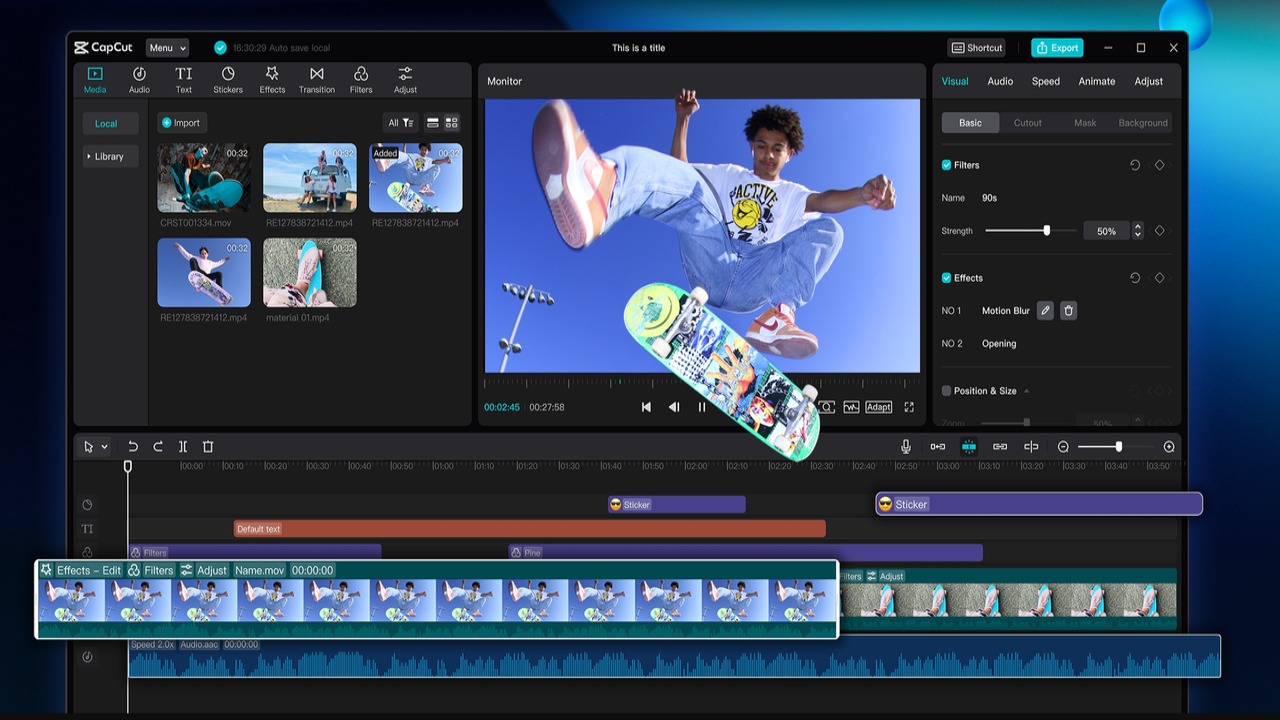
  • How Social Media Creators Can Transform Thumbnails Using CapCut PC’s Photo Editor

    How Social Media Creators Can Transform Thumbnails Using CapCut PC’s Photo Editor

    Are you struggling to get people to click on your videos? Maybe the problem lies with your thumbnails. A thumbnail is what people see first when scrolling through YouTube, Instagram, or TikTok.

    If the picture is dull or hazy, people will scroll on to the next video without clicking on yours. That is why thumbnails matter more than most creators know. A good thumbnail will turn an uninteresting video into a highly viewed video.

    This is where the Photo Editor of the CapCut Desktop Video Editor steps in. It gives you tools with which to make thumbnails look sharp, bright, and professional.

    You don’t need to be a designer to use it. You will learn why thumbnails are important, what makes CapCut PC’s features better for them, and how to create one that makes an impact through this guide.

    Why Thumbnails Matter for Social Media Content Creators

    A thumbnail is the first thing viewers notice before they open your video. It functions similarly to a cover page that informs viewers what to anticipate.

    When the picture appears dull or blurry, most viewers will ignore it and select an alternative video. This implies that regardless of your content, it might not be viewed as much as it could be.

    A well-designed and attractive thumbnail will boost the click-through rate as it gains attention and instills confidence. More people will open a video that looks polished and straightforward.

    To get this done, creators need an efficient tool that makes editing easier. CapCut PC is special because its photo editor helps you create clear, bright, and clean thumbnails that get more clicks and steady growth.

    CapCut Desktop Thumbnail Photo Editor

    a) Cut Out and Change Backgrounds

    Your thumbnail’s subject might lose the attention of the audience due to a cluttered background. In CapCut Desktop Video Editor, the auto cutout removes unwanted objects with just a click.

    You can change the background to a solid color, gradient, or custom image, rendering your thumbnail sharp and focused-looking.

    b) Insert Text Overlays & Fonts

    Text in thumbnails makes people click before they even touch. CapCut on PC features a lot of fonts, colors, and designs that make the text bold and clear. Outlines or shadows make it easier to read, and intelligent placement puts emphasis on the content’s theme. Clear, strong text makes more people open your content.

    c) Use Filters & Adjustments

    A boring thumbnail can murder clicks even on a great video. CapCut Desktop Video Editor enables you to adjust brightness, contrast, and saturation to have a clearer appearance.

    Filters add special looks that are appropriate for your mood or brand. Color matching with your video provides a professional and smooth appearance.

    d) Stickers, Icons, and Shapes

    Tiny graphics add flair to thumbnails. With the CapCut PC, you can include stickers, shapes, and icons to add energy or feeling. Correctly applied, these items grab attention without detracting from the subject, setting your content apart from cluttered social media feeds.

    e) Save Time with Templates

    Making it from the start takes time, especially if you post often. CapCut Desktop Video Editor and AI Video Generator include pre-designed templates you can edit with new text or images.

    Templates keep your brand consistent and save effort. You can also design your own sets for different types of content, so every thumbnail looks professional.

    f) Pricing Note

    CapCut Desktop Video Editor has a lot of free tools. Some of its advanced features are paid, but the free features are strong enough to generate thumbnails that get more clicks.

    Steps to Make Thumbnails in CapCut Desktop Video Editor

    Step 1: Install CapCut PC

    First, download the CapCut Desktop Video Editor from its official site. It will enable you to obtain the secure and latest version. The installation is quick, and the registration is free. Upon installation, you are already able to use the built-in tools.

    A few of the more advanced features, such as stock images and extra filters, come with payment, but are still at your option. The editor also supports an online video editor, giving you the ability to work on a desktop or online.

    Step 2:  Start Your Design

    In CapCut’s online photo editor, choose “Create New Image.” Or select the canvas type: Instagram post, story, or YouTube thumbnail that suits your goal. Your blank canvas is now perfectly sized and waiting for your spark.


    Step 3: Edit with Photo Tools

    Use the editing panel to include background removal, text overlays, or color adjustments. You can even include stickers, shapes, or filters to match your video’s vibe. For a faster option, consider using a pre-made template and tailoring it to fit your content.

    Step 4: Export Thumbnail

    Once your thumbnail is ready, click “Download all” to download the thumbnail. Choose a high-resolution output such as JPG or PNG. Your thumbnail is now prepared to be uploaded to YouTube, TikTok, Instagram, or any other platform.


    Conclusion

    An efficient thumbnail is one of the most effective ways to boost views and create regular engagement on social media. It’s the first thing they look at, and it decides if they click on your video or not.

    The Photo Editor of the CapCut Desktop Video Editor makes it easy for you by offering you the means to make clean, bold thumbnails. There are some of the pro tools that are paid for, but the free tools are enough to make images look professional and neat.

    Give the CapCut Desktop Photo Editor a try in your next thumbnail and see how it makes a difference in your clicks and views. A great thumbnail will be the difference between going unseen and being seen.

    Read Also:  Duane Martin: Complete Film & TV Career Guide

  • TrackingHub: Your Best Car Tracker Choice in Pakistan

    TrackingHub: Your Best Car Tracker Choice in Pakistan

    When it comes to protecting your vehicle, the tracking system that you choose is key. Whether you’ve got a single car or a fleet, real-time vehicle tracking offers peace of mind, operational efficiency, and an extra level of security. If you’re seeking the best car tracker company in Pakistan, you need look no further than TrackingHub, a name synonymous with reliability, innovation, and affordability in the world of vehicle tracking.


    Why Vehicle Tracking is important

    Vehicle theft and misuse has increased drastically in recent years in Pakistan. Recovery can be next to impossible without a reliable GPS tracking device. That’s where vehicle tracking solutions are beneficial. Car trackers, with their advanced features such as real-time location tracking, engine shut-off, geo-fencing, and trip history, have become indispensable tools for both private car owners and businesses alike.

    TrackingHub: The Trusted Name in Tracking

    TrackingHub stands out as the best car tracker company in Pakistan for several reasons:

    1. Cutting-Edge Technology

    TrackingHub utilizes the

    latest in GPS, GSM, and cloud-based tracking systems to ensure that users have

    accurate, real-time information about their vehicles. Their mobile app and web

    dashboard offers seamless control and access to all key features.

    2. Reliable 24/7 Monitoring

    A dedicated control room

    monitors all connected vehicles around the clock. In the event of an emergency

    or suspicious activity, their response team acts swiftly to assist with

    recovery and security protocols.

    3. Remote Engine Immobilization

    One of the standout

    features of TrackingHub’s systems is the ability to remotely shut down the

    vehicle’s engine in case of unauthorized use or theft, a powerful theft

    deterrent and recovery tool.

    4. Customizable Alerts and Reports

    Set up alerts for over

    speeding, ignition status, and geo-fencing breaches. TrackingHub also provides

    detailed reports on driving patterns, ideal for personal users and fleet

    managers alike.

    5. Nationwide Installation and Support

    Whether you’re in a major

    city or a smaller district, TrackingHub’s trained technicians provide quick and

    hassle-free installation services at your location.

    What truly sets TrackingHub apart is its blend of powerful features with affordability offering the best car tracker price in Pakistan without compromising on quality.

    Best Car Tracker Price in Pakistan

    Price is frequently a criterion used to select a tracking system. Many companies have low cost offerings, but undisclosed costs or poor performance. Transparent pricing: TrackingHub’s pricing is transparent with no compromises on service quality.

    Here’s a quick rundown of what you can expect:

    TrackingHub provides you with the best car tracker price in Pakistan as compared to its competitors considering the technology and service offered by them.

    Nationwide Coverage and Professional Support

    TrackingHub provides installation and support services in all major cities including Karachi, Lahore, Islamabad, Rawalpindi, Faisalabad, Multan, and Peshawar. Their trained technicians ensure smooth and professional installations, usually within order confirmation. In addition, their customer service team is available 24/7, ensuring that your tracking experience is seamless from setup to daily use.

    Perfect for Individuals & Businesses

    Whether you’re a private car owner worried about theft, a parent tracking your teenager’s driving habits, or a business managing a fleet of delivery vehicles, TrackingHub offers customized solutions to meet your exact needs.

    Business owners especially benefit from:

    • Reduced fuel costs
    • Improved driver behavior
    • Accurate mileage reports
    • Theft prevention & faster recovery
    • Conclusion

    If you’re looking for the car tracker Pakistan , offering the best car tracker price in Pakistan, TrackingHub is your one-stop solution. With robust capabilities, exceptional customer support, and competitive pricing, TrackingHub offers value that others just can’t.

    Don’t leave your vehicle’s safety to chance. Choose TrackingHub, your trusted partner in smart vehicle tracking.

    Read Also:  Michael Schoeffling and the Legacy of Sixteen Candles

  • Car Tracker in Pakistan – How to Select the Best One for Your Vehicle

    Car Tracker in Pakistan – How to Select the Best One for Your Vehicle

    With your car not being a luxury anymore but a necessity to go to work, play with your family, or commute to daily activities, its security can no longer be left to fate. With mounting issues of car theft and the necessity of effective management of vehicles for fleets, car trackers have become a must-have accessory for every car owner in Pakistan. But with so many available options saturating the market, how do you make the correct choice? This guide will assist you in understanding the world of car tracking and why Cartracker is the best car tracker company in Pakistan


    Why is a Car Tracker No Longer a Luxury, But a Necessity?


    Those days are long gone when a steering lock alone was sufficient to scare off thieves. Today, burglars possess sophisticated equipment, and old security devices are no longer sufficient. A car tracker gives your vehicle a digital armor, and it offers:


    Real-Time Location Tracking: See exactly where your vehicle is, 24/7, from your smartphone or computer.


    Theft Recovery: In the misfortune of theft, a tracker significantly improves the prospects of recovery, usually within hours.


    Geo-Fencing: Create virtual perimeters around your vehicle. Get immediate notifications if it drives in or out of a set area–ideal for tracking young drivers or fleet vehicles.


    Enhanced Fleet Management: For fleets, trackers yield incredibly useful information on fuel usage, driver habits, route efficiency, and idle time, resulting in tremendous cost savings.


    Peace of Mind: No matter if you are at home, in the office, or on a holiday, you can monitor your vehicle’s safety with one click.


    Car Tracker Price in Pakistan: What Are You Paying For?


    One of the most frequently asked questions we receive is, “How much does the car tracker price in Pakistan?” The reply isn’t a straightforward number, however, since the price varies depending on a number of different factors. It’s important to realize that you’re not merely purchasing a hardware product; you’re investing in a complete security service.


    The cost is usually split into two primary areas:


    Hardware Price: This is the initial price of the physical GPS device itself. Prices vary depending on what features it has (e.g., 4G connectivity, battery backup built-in, internal antenna, fuel sensor support).


    Subscription Fee: This is an ongoing yearly or monthly fee that pays for the SIM card data, use of the advanced tracking platform (web and application), server upkeep, and 24/7 customer support. This is the most important aspect of the service, keeping your tracker active and operational.


    We at Cartracker practice open pricing without any additional hidden costs. Our plans are created to suit various requirements, ranging from low-level individual car protection to high-level commercial fleet management solutions. A minimum tracker may begin at a lower initial price, but spending a little more on a higher-end system from a trustworthy car tracker organization such as ours is well worth it by way of higher dependability, quicker recovery periods, and strong capabilities safeguarding your precious property.


    Key Things to Consider When Selecting a Car Tracker Company


    Selecting a supplier is as crucial as selecting the tracker itself. Just glance at the device alone; check out the company behind it. This is what differentiates a market leader from the rest:


    Reliability and Network: The most reliable trackers leverage a mix of GPS, GSM, and occasionally satellite-based technology for unshakeable precision. A robust alliance with Pakistan’s large cellular networks guarantees stable and seamless service.


    Advanced Software Platform: The web platform and app user interface must be user-friendly, high-feature, and offer concise, actionable information. Expect features such as trip history, ignition on/off notifications, speed notifications, and detailed reporting.


    24/7 Support and Recovery Team: A real security partner provides 24-hour customer support. In an emergency situation such as car theft, you require instant help from a specialist recovery team to coordinate with the police.


    Quality of Hardware: The product must be robust, covert, and professionally hardwired into the car’s electrical system to avoid easy detection and tampering by car thieves.


    Positive Reviews and Proven Track Record: Review independent feedback and testimonials. A company’s track record of successful recoveries is the greatest validation of its success.


    Why Cartracker is the Best Car Tracker Company in Pakistan for You


    At Cartracker, we have established our brand on one of trust, technology, and relentless focus on our customers. We don’t sell devices; we give peace of mind.


    Here’s why thousands of Pakistanis entrust us with their vehicles:


    State-of-the-Art Technology: We use the latest 4G LTE technology for the most reliable and fastest real-time tracking in the country. Our platform is also updated regularly with new features based on user reviews.


    National Network & Recovery: Our large network and recovery experts are always ready to respond, guaranteeing a quick response wherever your car is in Pakistan.


    Unparalleled Customer Service: Our customer support is trained to deal with emergencies and routine queries with the same ease. We are a call away, anytime.


    Extensive Product Lineup: We provide a range of trackers to cater to every requirement and budget, from our basic models for individual car owners to our sophisticated fleet management solutions for companies operating hundreds of vehicles.


    Smooth User Experience: The Car tracker web portal and mobile app are easy to use, positioning advanced tracking and management features at your fingertips without the complexity. 


    Secure Your Journey Today with Cartracker


    Your car is an investment. Safeguarding it with Pakistan’s most trustworthy tracking system is the best investment you can ever make. Knowing the car tracker price in Pakistan is all about appreciating the full coverage service and unwavering security that a pioneer like Cartracker offers.

    Read More: Top 10 Johnny Knoxville Movies You Can’t Miss

  • Boosting Academic Performance with Professional Essay Writing Support

    Boosting Academic Performance with Professional Essay Writing Support

    Academic success is often measured by grades, but behind those grades lies a complex mix of effort, time management, research skills, and writing ability. For many students, essay writing is one of the biggest challenges in their academic journey. Whether it’s a persuasive paper, a research essay, or an analytical assignment, writing can become overwhelming, especially when deadlines pile up. In this context, professional essay writing support has emerged as a valuable tool for students who want to improve both their writing skills and their overall academic performance.

    Why Students Struggle with Essays

    It’s important to understand why essay writing can be so difficult for many learners. Some students find it hard to articulate their ideas clearly, while others lack the necessary research skills. Non-native English speakers may also face language barriers that make writing academically acceptable essays even harder. Time constraints play a big role too—balancing coursework, part-time jobs, and personal responsibilities leaves little room for polishing a well-structured paper.

    This is why many students actively search online when they need help with essays. Instead of struggling alone, they turn to professional support services like MyAssignmentHelp, which provide guidance and resources to make the process smoother and more efficient

    The Role of Professional Essay Writing Support

    Professional essay writing support does more than just provide ready-made papers. The most reputable services emphasize learning and skill development alongside assistance. They help students understand how to structure an essay, how to back up arguments with credible evidence, and how to maintain academic integrity while presenting original ideas.

    Support can come in several forms:

    • Customized Essay Assistance: Tailored help with specific topics or assignments.

    • Editing and Proofreading: Improving grammar, style, and clarity.

    • Research Guidance: Pointing students toward reliable sources and proper citation methods.

    • Skill Development: Offering templates, writing tips, and examples to strengthen long-term writing ability.

    By offering this variety of support, professional services don’t just solve an immediate academic challenge—they also build the foundation for stronger writing skills in the future.

    How Essay Writing Support Boosts Academic Performance

    The ultimate goal of seeking professional help is to achieve better grades and reduce stress. Here are several ways in which essay support services can significantly improve academic performance:

    1. Time Management
      With professional support, students can submit well-crafted essays on time without sacrificing the quality of their work. This helps them manage multiple assignments efficiently.

    2. Improved Writing Quality
      Professional writers and editors understand the nuances of academic writing. By learning from their examples and revisions, students can improve their ability to present arguments clearly, structure paragraphs effectively, and write persuasively.

    3. Exposure to High Standards
      A well-written essay shows students what excellence looks like. By comparing their own drafts with professionally supported versions, they can see areas of improvement and learn to meet higher academic expectations.

    4. Confidence Building
      Nothing motivates students more than positive feedback. Submitting stronger essays leads to better grades, which in turn builds confidence. Over time, students feel more capable of tackling assignments independently.

    5. Stress Reduction
      Professional essay support helps ease the burden, allowing students to focus on other important aspects of their studies and personal life.

    Ethical Considerations

    One common concern about essay writing services is whether using them is ethical. If services are used as a learning tool—much like hiring a tutor—they can enhance education rather than undermine it. For instance, receiving an outline, example paper, or detailed feedback can guide a student toward producing their own original work.

    Reputable essay support providers also stress the importance of avoiding plagiarism. They deliver unique content and encourage students to use it responsibly as a reference or model. When used ethically, essay writing support is no different from seeking guidance from a writing center or mentor.


    Real-Life Scenarios Where Essay Support Helps

    • International Students: Many international students face additional challenges, such as language barriers and adapting to different academic standards. Professional writing support provides them with valuable guidance in meeting these requirements.

    • Working Students: Those balancing part-time jobs with full-time study often lack sufficient time for research-heavy assignments. Outsourcing part of the writing process can help them maintain performance across all courses.

    • STEM Students: Students in science, technology, engineering, and math programs may excel in technical subjects but struggle with writing essays for general education courses. Professional support helps bridge this gap.

    • Students with Learning Challenges: Those with learning differences may benefit greatly from personalized writing assistance that adapts to their needs.

    Long-Term Benefits Beyond Grades

    While immediate grade improvement is a major advantage, professional essay support also brings long-term benefits:

    • Better Research Skills: By learning how to identify credible sources, students improve their ability to analyze and evaluate information critically.

    • Enhanced Communication: Writing skills are essential beyond the classroom—in careers, professional correspondence, and even personal development.

    • Greater Academic Engagement: When writing feels less intimidating, students are more motivated to engage deeply with their subjects.

    Balancing Independence and Support

    Students should view professional essay services as a supplement to their own efforts, not as a replacement. This means taking the feedback and examples seriously, applying the techniques learned, and gradually reducing reliance on outside help.

    As students develop stronger writing skills, they will naturally feel less of a need help with essay support. Instead, they’ll be able to handle assignments with greater ease, while still recognizing that expert guidance is available whenever necessary.


    Choosing the Right Essay Writing Support

    Not all services are created equal. To maximize the benefits, students should look for providers that:

    • Guarantee originality and plagiarism-free work.

    • Offer transparent pricing without hidden fees

    • Provide qualified writers with academic expertise.

    • Emphasize ethical use and academic integrity.

    • Deliver timely support with options for revisions.

    By choosing carefully, students ensure they are getting genuine educational value rather than a quick fix.


    Conclusion

    Essay writing is a skill that every student must master, but it doesn’t have to be mastered alone. Professional essay writing support offers a practical, ethical, and effective way to overcome challenges, build confidence, and achieve better academic results. From improving writing quality and research skills to reducing stress and boosting grades, the benefits are clear.

    Used responsibly, these services become more than just academic helpers—they become learning partners. For students determined to succeed, professional essay support can be the stepping stone to academic excellence and personal growth.

    Read More: Ted McGinley: Life, Career & Hollywood Legacy

  • Ted McGinley: Life, Career & Hollywood Legacy

    Ted McGinley: Life, Career & Hollywood Legacy

    Ted McGinley is an actor who has made a significant impact on television and film. However, he has maintained a relatively low profile. He may not be featured on the front covers of most magazines as a leading man. Yet, the actor’s career is remarkable and speaks to an elegant versatility. For over three decades, McGinley has been remembered for roles in light comedies and even dramas. His life tells a very successful story that Hollywood chooses to ignore: the story of hard work and unwavering growth.


    Early Life and Background

    Ted McGinley was born on May 30, 1958, in the city of Newport Beach, located in the state of California. While growing up, his proximity to beaches instilled in him a passion for sports and the distinct leisurely lifestyle that Southern California had to offer. He was also quite popular in school. Like most people, a career in acting was not something he aspired to. Instead, he started as a model. His boyish good looks made it quite easy for him to land print campaigns and commercials.

    Little did he know that such an innocent modeling career would surely come to bite him. Out of the blue, he was spotted by a casting agent who thought he had the potential to be an actor. In terms of working in Hollywood, the land of dreams and riches, unlike many people, McGinley had no hard times. His approachable nature was a significant factor in why he was cast in numerous projects.


    Breaking Into Hollywood: Early Roles

    Ted’s first stage as an actor included getting a ‘big break’ in television. He first started as Roger Phillips in the American sitcom Happy Days. Although a cultural phenomenon even before McGinley’s arrival on the show, late joins on established shows are always a challenge. However, he was able to overcome it and infuse the set with fresh new energy.  

    He also began to secure roles in movies. One being the film Revenge of the Nerds, where he played Stan Gable. The film was released in 1984 and gained a cult following due to its humor. McGliny’s performance as a confident, smooth, and somewhat arrogant frat boy also gained popularity. It enabled him to ‘cross over,’ as he was more popular with older audiences. 

    These roles are significant achievements, as they demonstrate McGliny’s ability to be soft, charming, and comedic on a sitcom, and he could also bring the same qualities to a film.


    The Iconic Sitcom Role: Married… with Children

    In the 1990s, there was a show called ‘Married… with Children’ that won numerous awards. People may not be aware of McGliny’s early roles in shows. However, they do recognize him and associate him with this show. More than anybody, the introduction of the character Jefferson D’Arcy was a show stealer, and McGliny received great applause for it. Jefferson was the 2nd husband of McGliny’s wife, Marcy Rhoades.


    Expanding His Career: A Reliable Character Actor

    Ted McGinley’s already blossoming career didn’t stop after Married… with Children. Seemingly unlike other actors who fade with time after one starring role, Ted was active and worked on several different projects. He also worked on movies, dramas, and many guest star appearances.  

    Some of his notable TV appearances include  

    • Guest roles on The West Wing and Hope & Faith  

    • Recurrences in Sports Night and Dynasty  

    • Appearances in various TV movies and family content  

    It proved something fundamentally important about McGinley. He was certainly not typecast. Although he mostly played charming and attractive characters, he often found something different he could do in every single role. He was appreciated by casting directors partly because of his great reliability and ability to think a lot.

    Comedian Munawar Faruqui recently opened up about his painful past, sharing how his mother died by suicide due to domestic violence.


    Personal Life and Family

    Ted McGinley’s off-screen life also seems to be very stable and balanced. He married his wife, actress Gigi Rice, in 1991. She is also known for her television career. The couple has two sons. Unlike many other couples in Hollywood who are mostly in the limelight, McGinley and Rice are very private.

    This equilibrium between professional and personal life has undoubtedly enabled him to thrive for so long. Working in an industry that is always under pressure and volatile in nature, he still manages to maintain a family life.


    Reinvention in Later Years: The Role in Shrinking

    Ted McGinley’s recent and perhaps most praised performance is his portrayal of Derek in the Apple TV+ series Shrinking. Unlike his earlier sitcom characters, Derek is emotionally complex, vulnerable, and real.  

    Both critics and audiences were struck by the new sensitivity and depth McGinley brought to his character. After years of typecasting as the comic relief or romantically charming sidekick, McGinley has once again proven his ability to convey emotional depth. This role holds sentimental value for McGinley, as it has compelled him to reflect on the development of his craft.

    Scholars often point out that this type of success is best known for highlighting ongoing, evolving processes. Evolving is the key. But it still surprises him, as McGinley is years after his earliest professional breakthrough.


    Frequently Asked Questions


    What is the background of Ted McGinley?

    He is known within the American entertainment industry as a film and television actor who has played the role of a television character in the sitcoms Married… with Children and Happy Days, as well as in the Revenge of the Nerds movie.


    Is Ted McGinley an actor at present?

    He is, and has recently played a role in the Apple TV+ series “Shrinking,” where he received praise for his heartfelt performance.


    Which woman has Ted McGinley been married to?

    He has been married to Gigi Rice, who is also an actress, since 1991. They have two sons and choose to keep their family life private.  


  • Top 10 Johnny Knoxville Movies You Can’t Miss

    Top 10 Johnny Knoxville Movies You Can’t Miss

    Johnny Knoxville is a name many Americans know. He is loud, brave, and often very silly. He made people laugh by doing wild stunts. He also hurts himself for art. This list shows ten films that best show who he is. I explain why each film matters. I also give quick tips for first-time viewers.


    Who is Johnny Knoxville?

    Johnny Knoxville rose to fame with the TV show Jackass. The show mixed pranks, stunts, and awkward comedy. It built a new kind of celebrity: the stunt comedian. Knoxville led the crew with reckless charm. He later moved into films and acting roles. He has also produced many of his projects. Over time, his work has shown both raw physical comedy and a surprising emotional side.

    Why does he matter? He changed what people expect from stunt comedy. He blurred the lines between prank TV and film. He made risky humor feel real. That rawness is both his appeal and his cost. He has suffered many injuries doing his work. That makes his later, quieter roles more interesting.


    How I chose these Top 10 Johnny Knoxville movies

    I picked films that show different sides of him. Some are pure Jackass chaos. Some are real acting roles. I wanted variety. I also considered cultural impact. Ultimately, I selected films that remain enjoyable to watch today. My picks mix hits, cult favorites, and smart choices for new viewers.


    1. Jackass: The Movie (2002)

    Why watch: This film brought the Jackass TV chaos to the big screen. The stunts feel bigger. The jokes land harder. It was shocking when it came out. It still holds up for fans of raw prank comedy.

    Insight: This movie shows Knoxville’s leadership. He is both Joker and the director of mayhem. It’s a good first step to understand his style.


    2. Jackass Number Two (2006)

    Why watch: The crew took more risks. The stunts grew more elaborate. Fans loved its energy.

    Insight: The film doubled down on danger. It also demonstrates how Jackass created a loyal fan base that craved even more extreme humor.


    3. Jackass 3D (2010)

    Why watch: This one uses 3D to make stunts feel more immersive. It’s silly and extreme. It made people gasp and laugh.

    Insight: The success of this film demonstrated that the Jackass format could be a viable option for theatrical sales. It’s a cultural milestone for stunt-based comedy.


    4. Bad Grandpa (2013)

    Why watch: This movie mixes hidden-camera pranks with a real story. Knoxville plays Irving Zisman, a cranky older man. He wears heavy makeup. He acts like a seasoned performer.

    Insight: Here, Knoxville shows real acting chops. The character work is surprising. He can be more than just a stunt performer. This film helped him reach a broader audience.


    5. The Ringer (2005)

    Why watch: This is a comedy with heart. Knoxville plays a man who fakes being disabled to enter the Special Olympics. The film tries to be funny and kind.

    Insight: The Ringer shows Knoxville’s ability to carry a story with warmth. It is flawed, but it shows his interest in roles that mix humor and empathy.


    6. Action Point (2018)

    Why watch: This movie feels like a feature-length Jackass sketch. He co-produces and stars. The park stunts are wild.

    Insight: Action Point is a love letter to raw, messy fun. It also exposes how much Knoxville pushes himself physically for comedy. Reviews noted the injuries he suffered making it.


    7. The Dukes of Hazzard (2005)

    Why watch: Knoxville plays a real villain here. This film is a mainstream studio comedy based on

    a TV show. He takes a different tone.

    Insight: The role shows he can fit into big studio pictures. He plays against type. It’s a useful watch to see his range.


    8. Men in Black II (2002)

    Why watch: He appears briefly but leaves an impression. The cameo is fun and unexpected.

    Insight: Even in short roles, Knoxville stands out. His energy makes him easy to spot in any cast.


    9. A Dirty Shame (2004)

    Why watch: This John Waters film is strange and bold. Knoxville fits right into its off-kilter world.

    Insight: Knoxville is willing to join bold directors. He takes risks with odd material. That curiosity keeps his career interesting.


    10. Jackass Forever (2022)

    Why watch: This film reunites the crew after years. It mixes nostalgia with new stunts.

    Insight: The movie shows how time changes the group. Knoxville has faced serious injuries and reflection. The film strikes a balance between wild comedy and a sense of closure. It illustrates the risks associated with the life of a stunt comedian.


    Watching tips for new viewers

    • Start with the first Jackass film to see the origin.

    • Watch Bad Grandpa or The Ringer to see Knoxville act.

    • Skip spoilers. These films often land better fresh.

    • If you dislike gross-out humor, try his acting roles first.


    Why Johnny Knoxville’s work still matters

    He changed comedy. He made physical pain part of the art. That shocked people. It also made them think about risk, fame, and spectacle. He helped turn a small TV stunt segment into a movie business. His career illustrates both the benefits and the drawbacks of that choice.

    Beyond laughs, his later work carries weight. He has spoken about injuries and mental health. That honesty adds depth to his persona. He is not just a prankster. He is a performer who has chosen a hard path for art and laughs.


    Final thoughts

    • Want raw chaos? Watch the original Jackass films.

    • Want acting and story? Choose Bad Grandpa or The Ringer.

    • Want a mix of both? Try Action Point or Jackass Forever.

    Johnny Knoxville is loud, risky, and often painful. He is also surprisingly human. His films show both the fun of pranks and the real price of extreme comedy. To understand modern stunt humor, start with these ten movies. They showcase the wide range of a performer who continually pushed the limits, for better and worse.